G: Upgrading the Content Manager 8.3 Farm database
When upgrading from 8.3, the Records Manager Farm database needs to be upgraded using the HPE.Integration.SharePoint.8xVersionUpgradeTool.exe tool.
To perform this upgrade follow the below steps:
-
Upgrade the SharePoint Integration using the CM_SharePointIntegration_x64.msi.
-
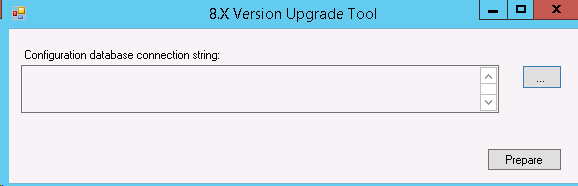
Navigate to the installation directory > Bin and run the tool as Administrator:
HPE.Integration.SharePoint.8xVersionUpgradeTool.exe
-
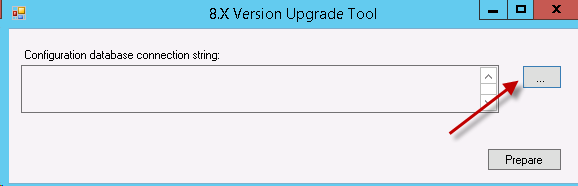
Click the quick select:
-
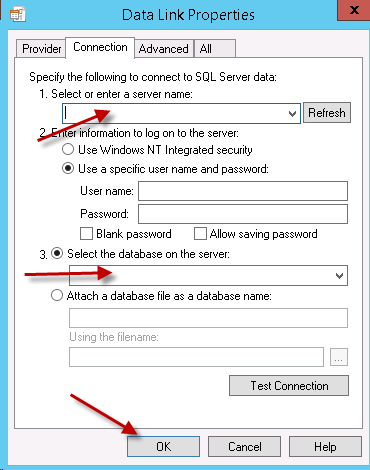
Populate the database:
-
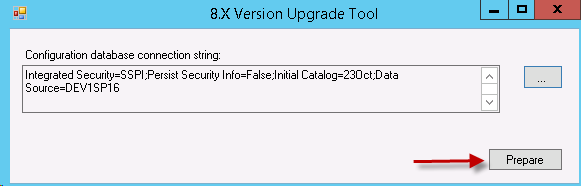
Select Prepare:
-
Once the Version upgrade tool completes the below message will display:
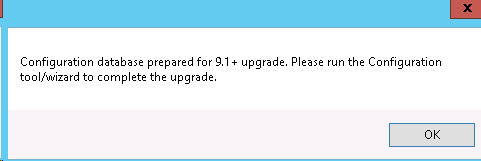
After the Version upgrade tool has completed the Configuration Tool need to be configured. To do this:
- Populate the ‘Content Manager Farm database connection string’.
- Before publishing the configuration navigate to Tenants > tenant > configure > Permissions Tab and populate the Primary Configuration Administrator.
- Continue with Upgrading the SharePoint App.